
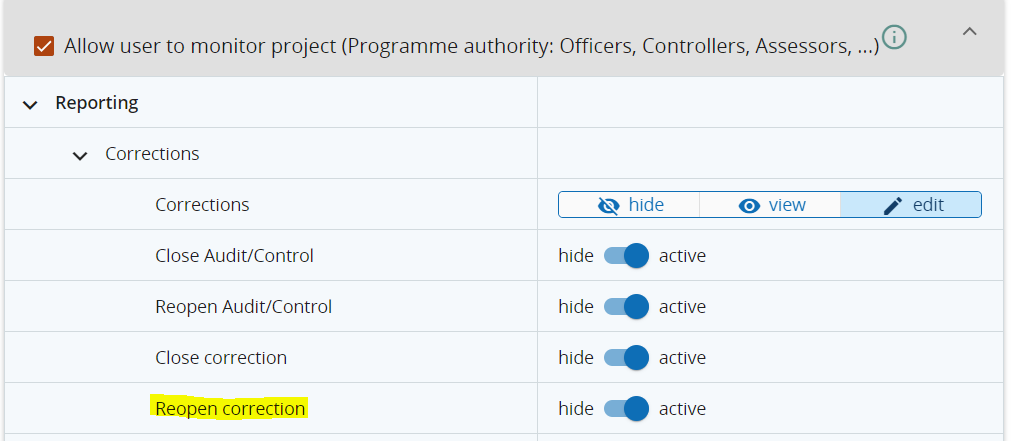
With Jems version 11, the functionality to reopen a closed correction was added. For reopening a closed correction, the user needs a separate privilege that can be found under Reporting > Corrections > Reopen correction.
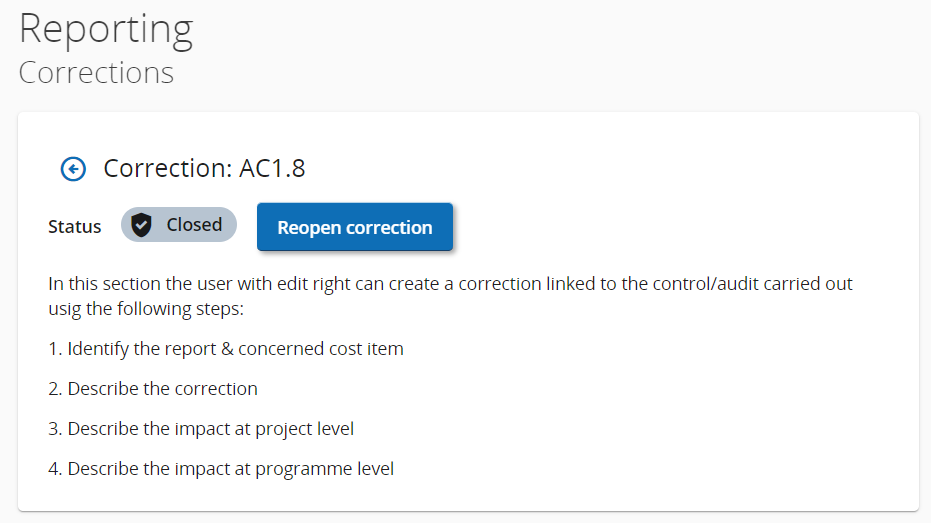
A closed correction can be reopened using the button on top of the Correction form:
Restrictions for reopening corrections
A correction can only be reopened, if the status of the Audit/Control is ongoing. If the status of the Audit/Control is closed, it has to be reopened before the correction can be reopened (for further information see Audit and Control | Closing and Reopening an Audit/Control).
As closed corrections can be linked to several other sections in the system, those links need to be removed, before a correction can be reopened.
-
Modification of the Application form: Correction linked to a Modification cannot be reopened, as the link cannot be removed.
-
Payments to projects: The correction needs to be deselected from all installments to be reopened.
-
Adding Corrections to Payment applications to EC: The correction needs to be excluded from the Payment application to EC to be reopened.
-
Accounts: The correction needs to be excluded from the Accounts to be reopened.
Please pay attention before you link a correction to a Modification of the Application form, as this will mean that the correction can never be reopened.