Jems can be displayed/edited in different languages by changing the system language and the input language. For more details on setting up languages and adding translations in programme and call level please see: Translation management Translations
System Languages
System languages apply to:
-
Navigation menu items
-
Headers
-
Guidance text/Info bubbles
-
System messages (confirmation messages, error)
-
Questions/explanations in the application form
-
Field labels/Table headers
-
Built-in dropdown fields (Priorities, Specific Objectives, Indicators, Target groups, Strategies, etc.)
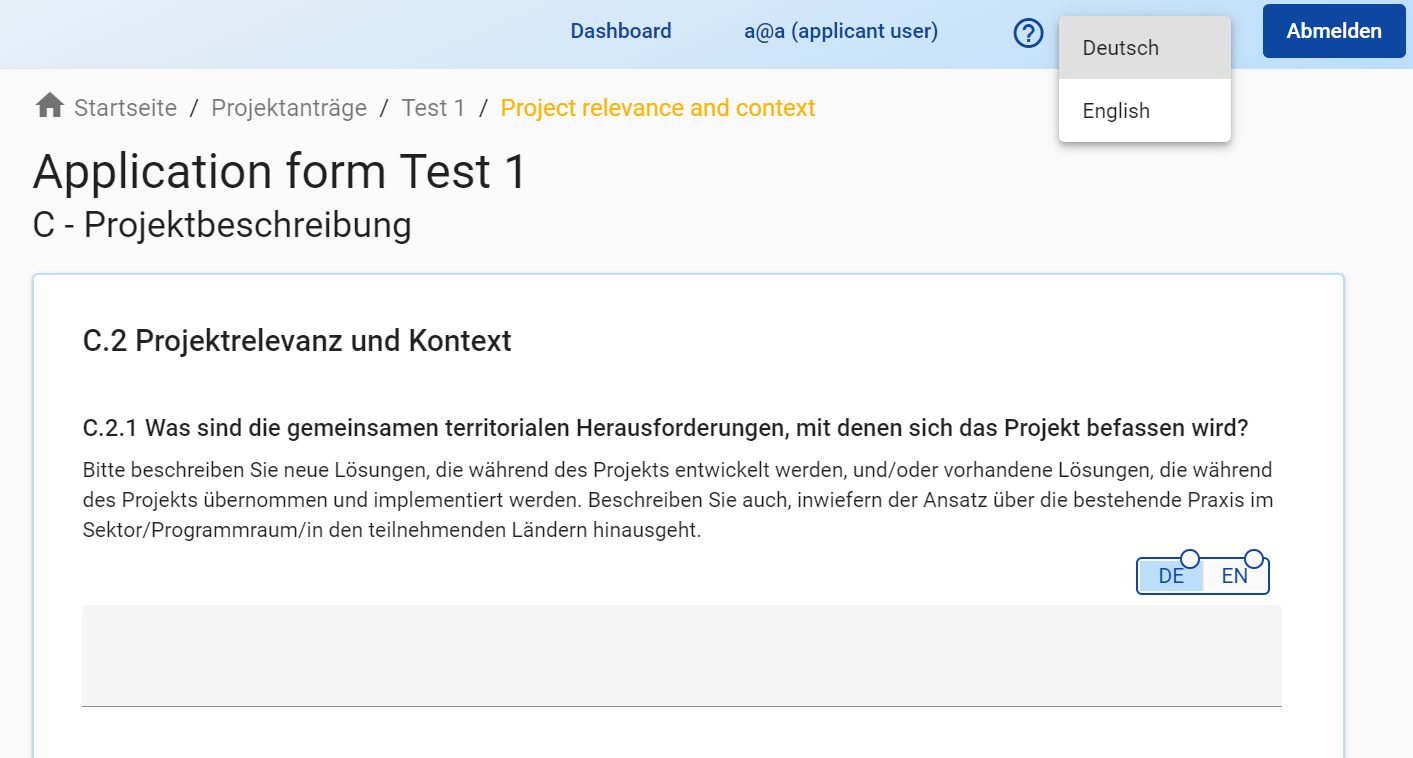
The system language can be changed by using the dropdown field in the horizontal bar.
Input languages
Input languages apply to:
-
Text input fields
-
Input fields in tables
The input language can be switched by using the toggle button on top of the text field/table.
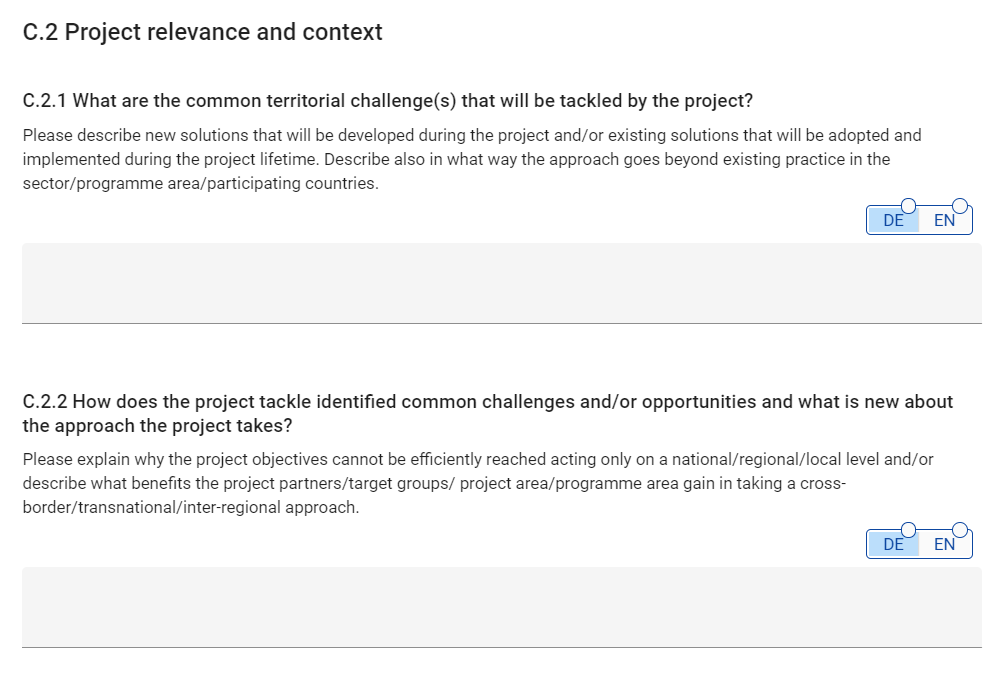
Changing the input language with the toggle button of one input field automatically changes the input language of all input fields on that page.
The following sections have single input languages:
-
Assessment & Decision
-
Project modifications,
-
Contracting
-
Control
-
Payment module
The following sections can have multiple input languages (depending on programme setup):
-
Programme setup
-
Call setup
-
Application Form
-
Partner reporting
-
Project reporting
Depending on the language settings in the Programme setup, system languages might differ from input languages, such that dropdown menus are not be displayed in the same language as the input languages required.