Location and access
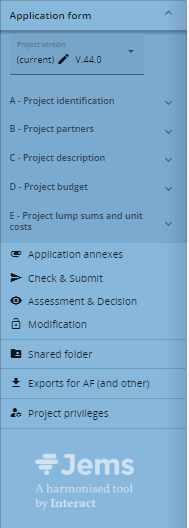
To access File management, make sure to assign the relevant privilege: Application annexes
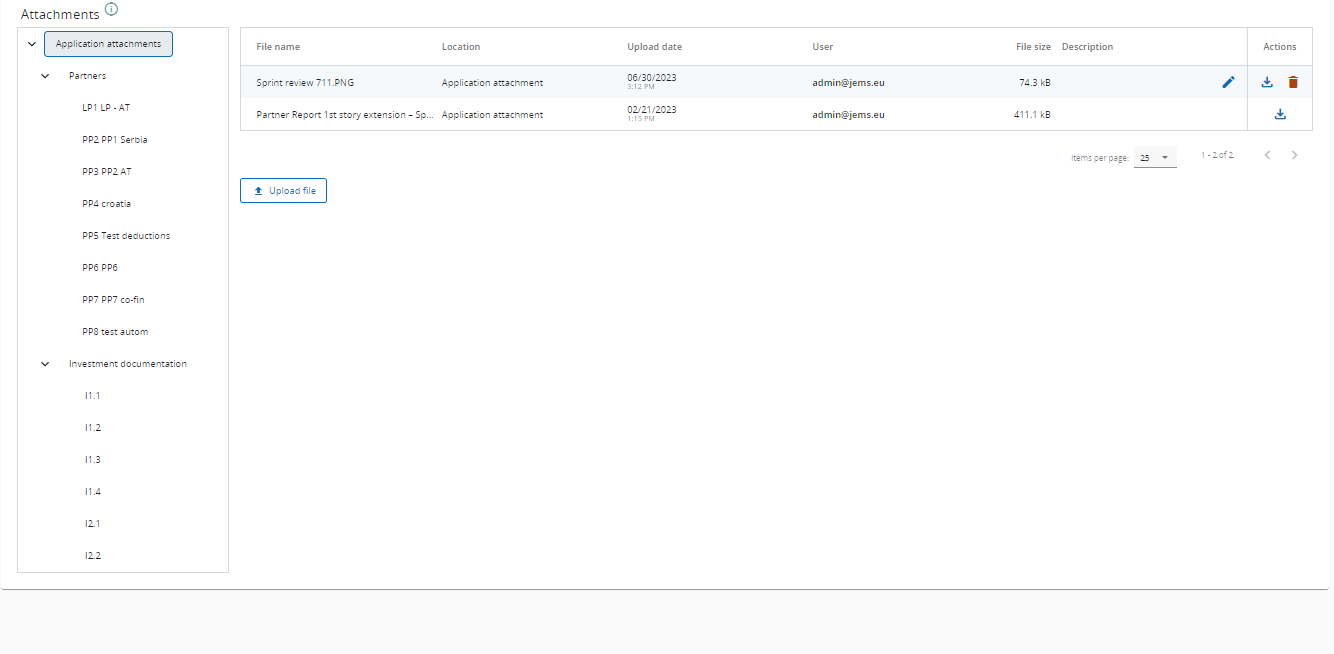
File management view
File management consists of two parts:
-
Section and sub-section tree
-
Files list
File management content
Currently, File management supports the following sections and sub-sections:
|
Section |
Sub-Sections |
|---|---|
|
Application attachments |
|
|
|
Partners |
|
|
Investments |
Each sub-section includes another level with a list of elements (Partners/Investments).
Upload files
If a section or sub-section is empty, a warning is displayed.
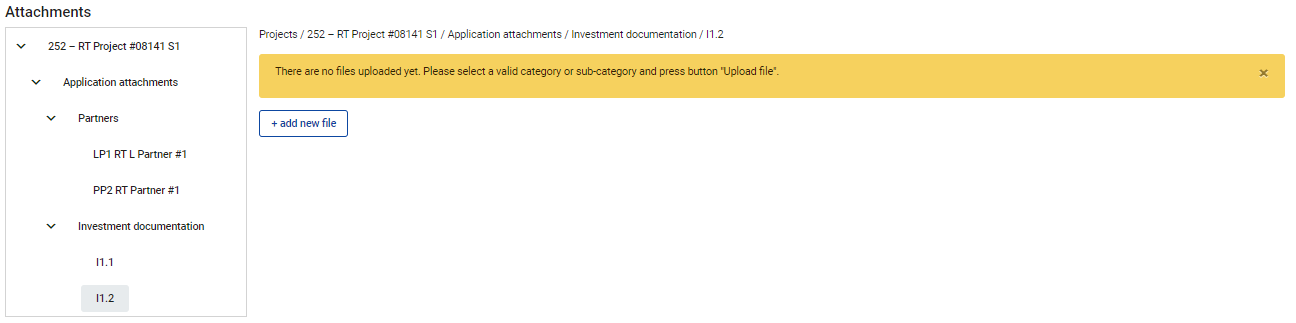
To upload a file to a relevant section/sub-section, click “+add new file“
File management does not support versioning. It is recommended to name your files in order to indicate the targeted version as in the example below:

Files description
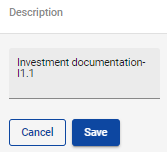
It is recommended to enter a description to uploaded files. This allows you to distinguish files within and in between sections/sub-sections.
To change the file description, click the following button:
Example of description input field
File management privileges
File management is regulated by system privileges.
Make sure that users have the required privilege to manage files of a specific section.
Application attachments are also regulated by core logic:
After submission and return to applicant, previously uploaded files cannot be deleted anymore.
Supported file types
Please refer to the URL below to see currently supported file types.
This list includes the most popular file types relevant for the programmes' usage.
Supported file types extensions (for upload)
File size configuration
It is possible to change the limit for maximum supported file size.
Please adapt the Jems startup parameter listed below if needed. Accepted dimension type Megabyte (MB).
|
Parameter |
Recommended value |
|
Maximum supported file size |
--spring.servlet.multipart.max-file-size=50MB |